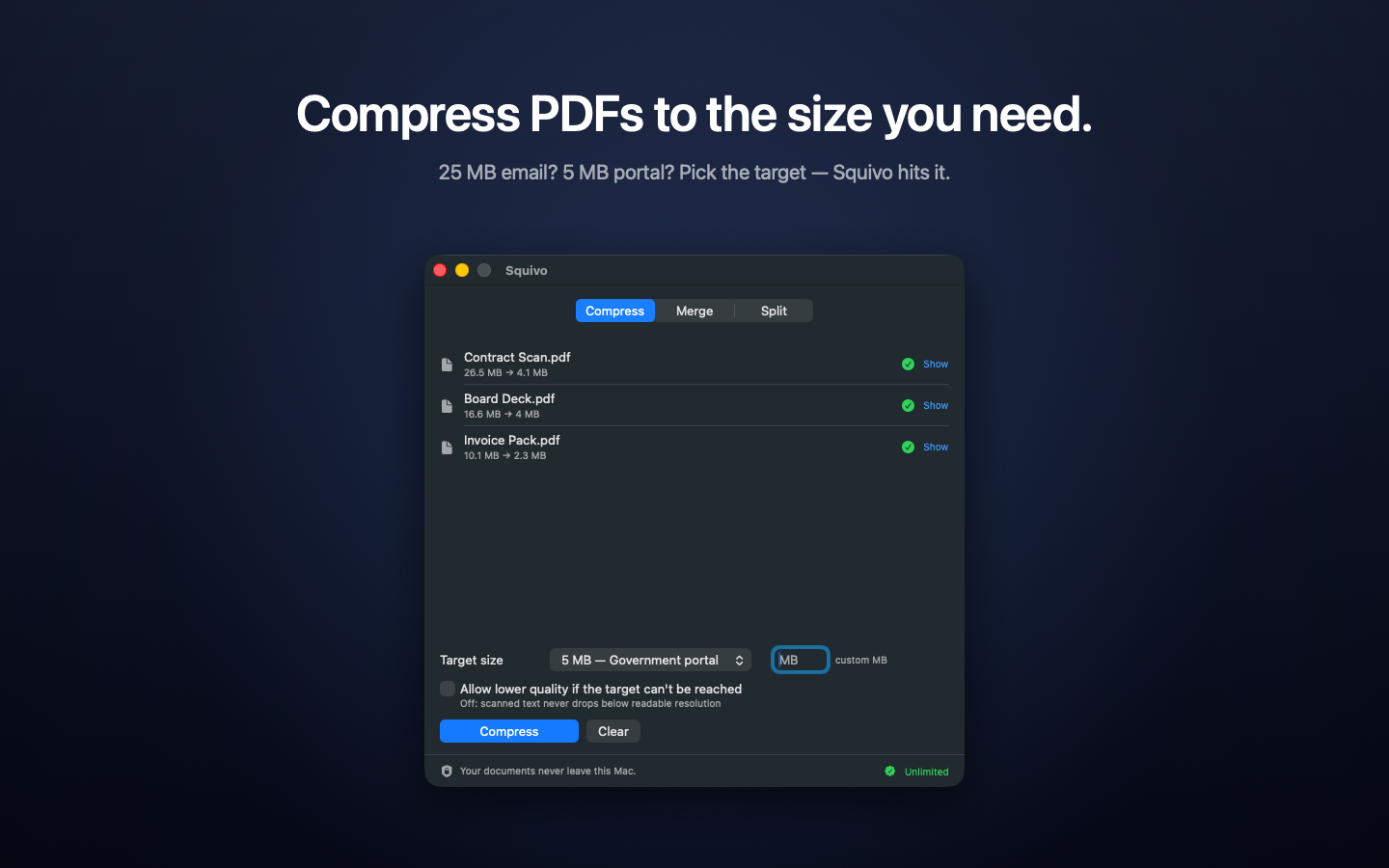
Compress PDFs to the exact size you need.
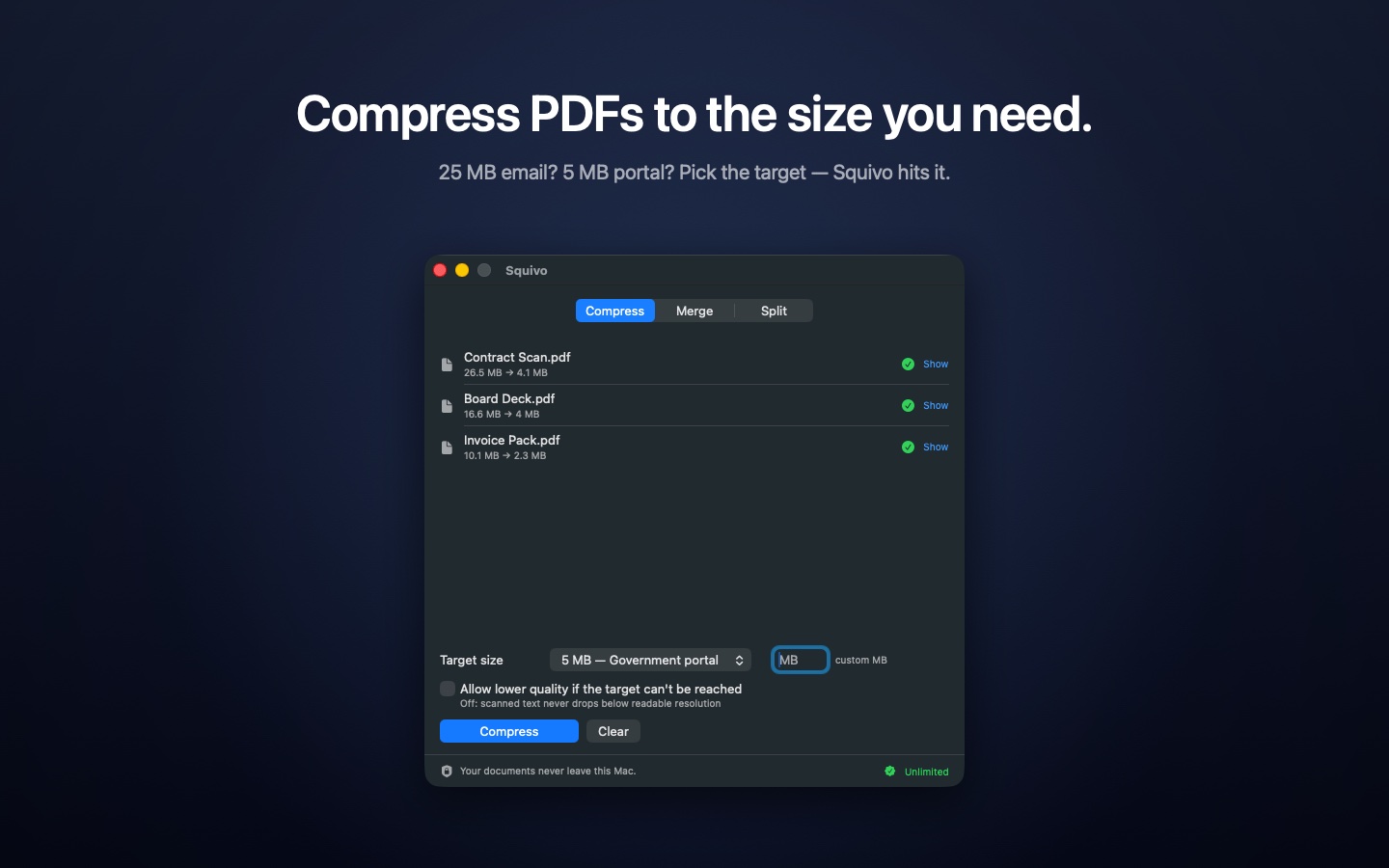
25 MB for email, 5 MB for portals, 2 MB for job applications — pick the target and Squivo finds the highest quality that fits, entirely on your Mac.

Free — 5 tasks a day. One purchase for unlimited. macOS 13 or later.
What it does
- Compress to a target, not into the dark Other tools give you a quality slider and let you guess. Squivo works backwards from the limit you're facing — presets for email and portals, or type any size.
- Text stays sharp Squivo recompresses the images inside your PDF and leaves the text layer untouched — never rasterized, still selectable.
- Honest about scans If a target would push a scanned document below readable resolution, Squivo tells you the smallest readable size instead of quietly ruining the file.
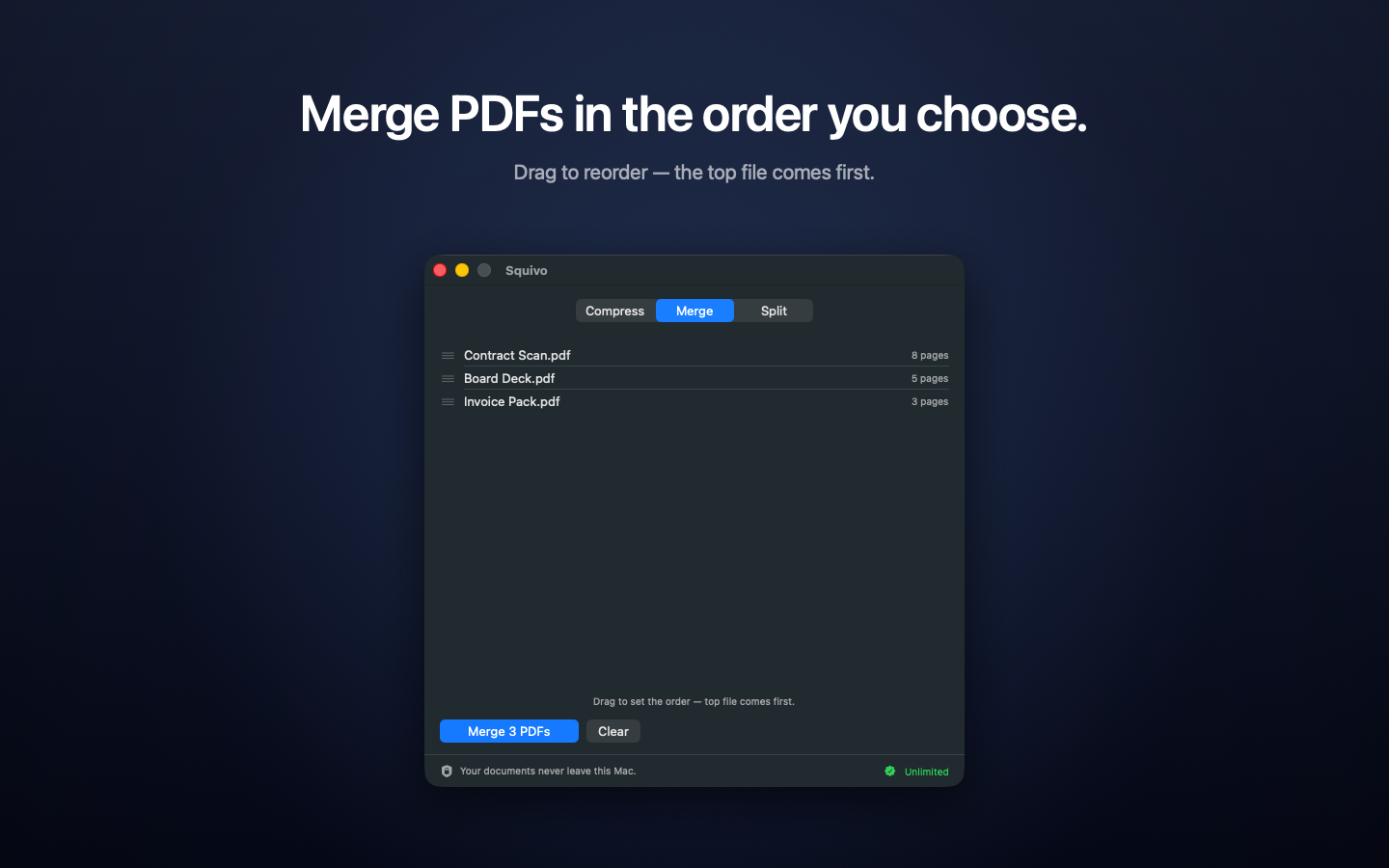
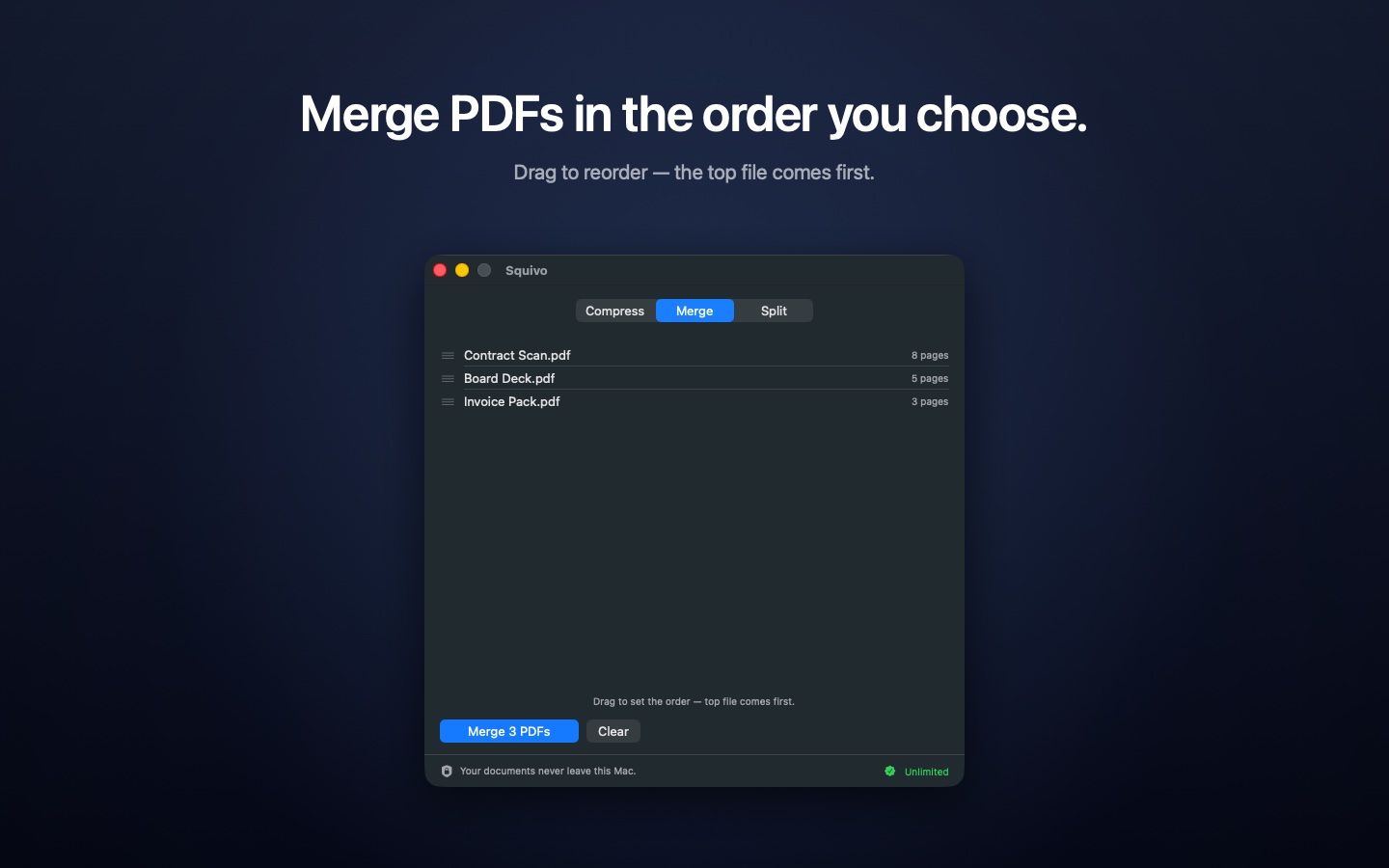
- Merge & split Combine PDFs in the order you drag them, pull out just the pages you need. Originals are never modified — output is always a new file.
- Batch the whole folder Drop twenty PDFs and compress them all to the same target in one run, each reported individually.
- Nothing leaves your Mac The app has no network access at all. No cloud, no account, no analytics. Read the privacy policy — it's short.
Pricing
Free, forever: 5 tasks a day at full quality — no watermarks, nothing held hostage.
Squivo Unlimited: one $9.99 purchase removes the daily cap, permanently. No subscription, no trial that quietly renews.
Stuck with a size limit right now?
We wrote an honest guide to compressing PDFs on a Mac — including the free, built-in ways with Preview and ColorSync, and when they're all you need: How to compress a PDF to 1 MB (or any size) on Mac.
Press kit
Squivo is a macOS utility that compresses PDFs to an exact target size — 25 MB for email, 5 MB for government portals, or any custom limit — entirely offline. The app has no network access: documents are processed with Apple's built-in frameworks and never leave the Mac. Text layers are preserved untouched, scanned documents are never pushed below readable resolution, and it merges and splits PDFs too. Free for 5 tasks a day; a one-time $9.99 purchase unlocks unlimited use. Built by an independent developer.
Assets: app icon (512 px) ·
screenshot — compress (1440×900) ·
screenshot — merge (1440×900)
Mac App Store listing ·
press contact: supportdropix@gmail.com